User Manual
Simple and practical guide to configure Auto Open Graph & Sitemap with confidence.

Simple and practical guide to configure Auto Open Graph & Sitemap with confidence.
Auto Open Graph & Sitemap solves two essential requirements without requiring technical or search engine optimization expertise.
Social Sharing (Open Graph): When you share a link to your site on social platforms like LinkedIn, Facebook, or WhatsApp, the platform reads hidden metadata called Open Graph tags. The plugin ensures every shared link automatically displays a crisp title, a clear summary, and a suitable preview image.
Site Map (XML Sitemap): The sitemap.xml file is designed for search engines like Google and Bing. It lists the exact set of important pages on your site to help search crawlers locate your content and revisit it regularly.
After installing and activating a new WordPress plugin, it is common to search through admin menus trying to locate where it is placed.
Where to find it in WordPress: The plugin has its own dedicated screen located directly under Tools > Auto Open Graph & Sitemap in your WordPress dashboard.
The plugin is designed to work right out of the box without requiring complex setups. Two simple steps are recommended:
sitemap.xml file at your site root immediately.Inside your WordPress dashboard, under Tools > Auto Open Graph & Sitemap, the first tab manages your social media sharing presentation.
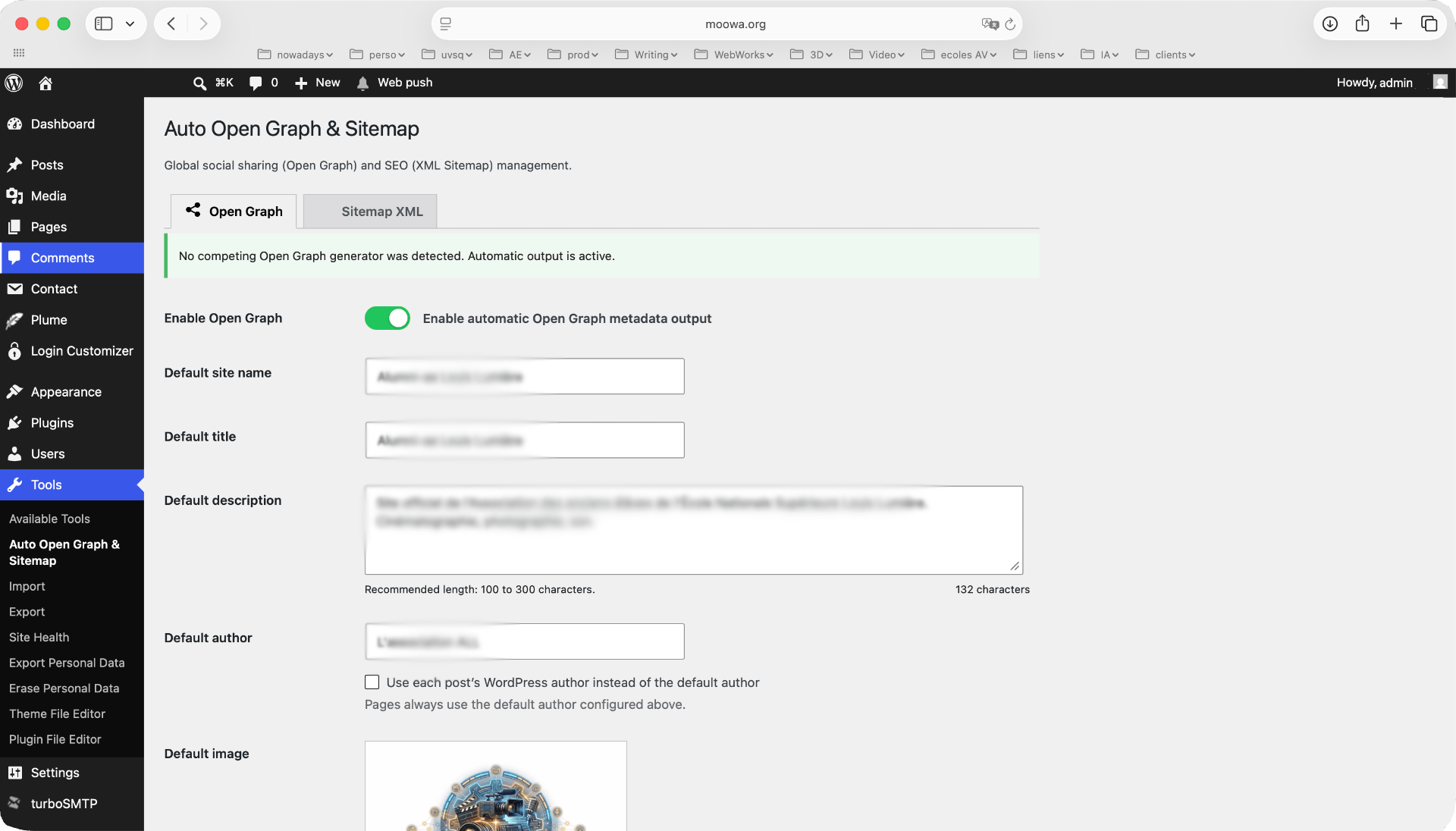 Click screenshot to enlarge in fullscreen
The second tab allows you to instruct search engine bots on which content types to index.
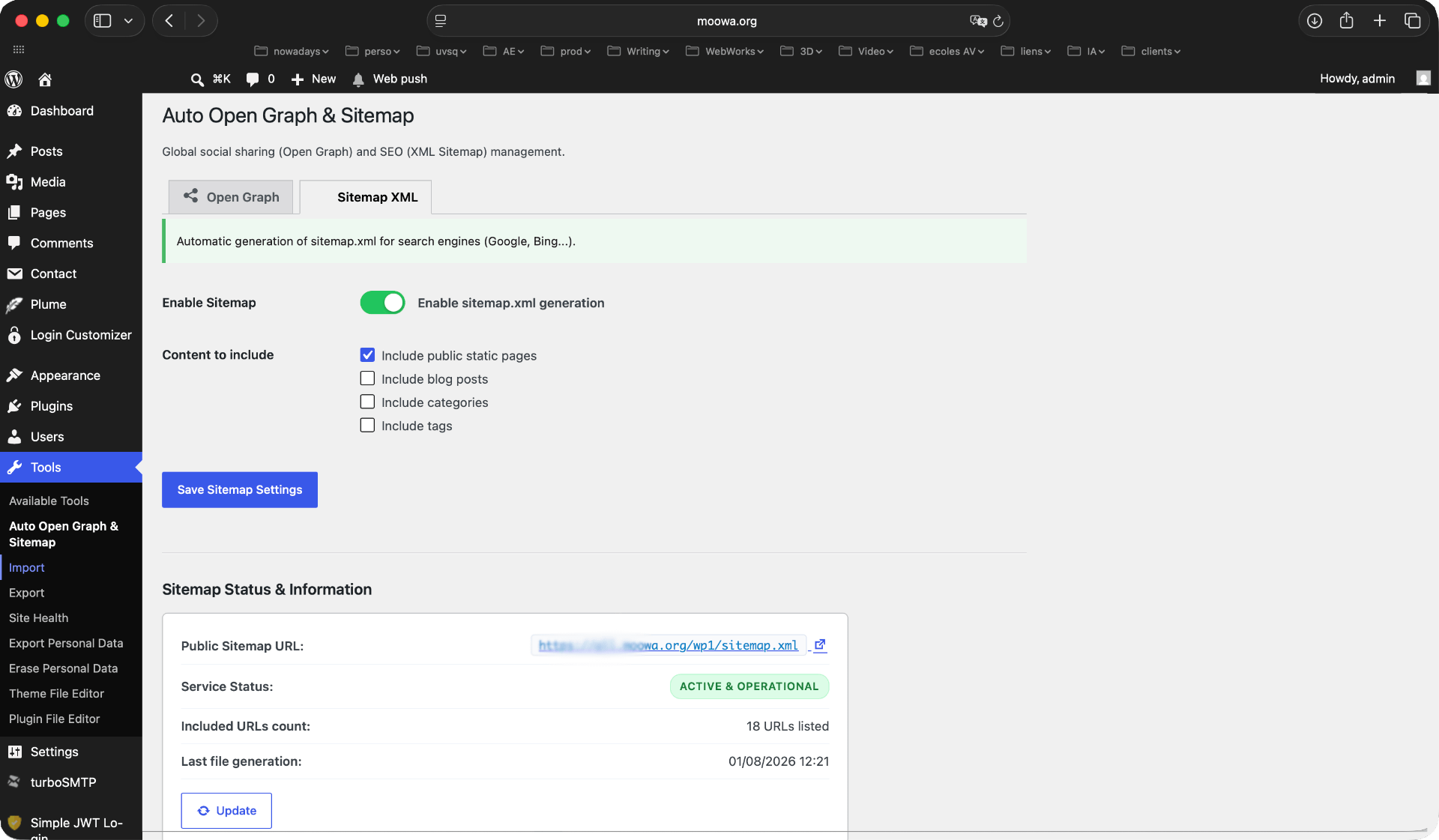 Click screenshot to enlarge in fullscreen
Always leave this box checked. It includes your essential pages such as your homepage, about page, services, and contact page. These are the primary pages Google should crawl and index.
When to include posts: Leave this box checked if your blog is regularly updated with fresh and relevant articles that you want search engines to feature.
When to exclude posts: If your site contains hundreds or thousands of outdated, obsolete posts that no longer offer value to visitors, unchecking this box is recommended. Excluding obsolete posts encourages Google to focus its crawling budget entirely on your core static pages.
When to include categories: Check this box if your blog is organized into a few active, well-structured main categories.
When to exclude categories: If your categories contain very few posts or are unused, uncheck this option to keep crawler focus on primary pages.
It is generally recommended to leave tags unchecked in your sitemap. Tag pages often create hundreds of thin, repetitive pages ("thin content"), diluting search engine crawler attention without providing tangible benefits to site visitors.
Auto Open Graph & Sitemap is engineered to be self-contained and respectful of your WordPress setup.
If you activate another dedicated SEO plugin (such as Yoast SEO, Rank Math, or SEOPress), our plugin will automatically detect it and gracefully pause output for the corresponding module. There is zero risk of conflict or duplicate metadata on your site.